Move a website to another subscription or region
Transfer a website between subscriptions or change its data center.
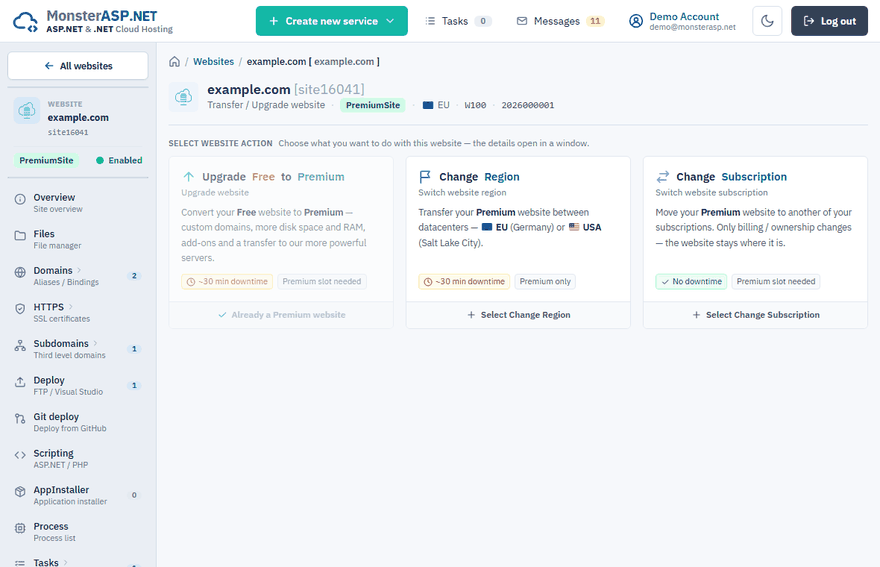
A website can be moved in three ways. All of them start on the Upgrade page of the website: Control Panel → Websites → your website → Upgrade.
| Action | What it does | Downtime |
|---|---|---|
| Upgrade Free to Premium | Converts a Free website to Premium and transfers it to the Premium servers. See Upgrade from Free to Premium. | Up to ~30 minutes |
| Change Region | Moves a Premium website to another datacenter — EU (Germany) or USA (Salt Lake City). | Up to ~30 minutes |
| Change Subscription | Moves a Premium website under another of your subscriptions. Only billing / ownership changes. | None |
Change the region
Changing the region physically moves a Premium website to a different datacenter.
Important
A website and its database must always be in the same region. If the website runs in one datacenter and the database in another, every query has to travel between them, and the application becomes very slow and unresponsive. When you move a website, move the databases it uses to the same region as well — see Move a database to another region or subscription.
Open the action
On the Upgrade page choose Change Region.
Select the datacenter
Under Select target Region / Datacenter pick the new datacenter and click Change Region.
Confirm
Compare the Before and After summary (region and server) and click Change Region again.
Before you start:
- Pick the datacenter closest to your visitors.
- The website gets a new server and IP address. If your DNS points directly to the server IP with an A record, update it after the transfer. If the domain uses our name servers, the records are updated automatically.
Warning
Expect a website outage of up to 30 minutes during the transfer.
Change the subscription
Use this to consolidate billing or to reorganize services between your subscriptions. The website stays on the same server; files, domains and settings stay untouched.
Open the action
On the Upgrade page choose Change Subscription.
Select the target subscription
Pick it under Select target subscription. The capacity of the subscription (used / limit) is shown below.
Confirm
Click Change Subscription, check the Before and After summary and confirm.
Requirements:
- The target subscription must have a free Premium website slot. The slot in the current subscription is freed.
- If the website has memory or disk add-ons assigned, the target subscription must have matching free add-on slots — the add-ons move together with the website.
- If you have only one active subscription, order another one first.
Follow the progress
A transfer between servers runs in the background and you can follow its progress in the Control Panel. Your website keeps running on the current server during the copy. There is a short maintenance window at the end while the latest changes are synced and DNS is switched.
Note
Website management is locked until the transfer finishes, and all upgrade and transfer actions are disabled in the meantime. See Follow the task queue.