Migrate e-mails from another provider
Move existing mailboxes and their messages to MonsterASP.NET.
When you move your e-mail to us from another provider, you can copy the existing messages from the old mail server into your new mailbox. The migration tool is part of WebMail.
Before you start
- Create the mailbox with us first — see Set up e-mail for your domain.
- Have the login details of the old mailbox ready. You get them from your old hosting provider, or you find them in the settings of the e-mail client (Outlook, Thunderbird, eM Client and so on) that was downloading mail from the old server.
Migrate a mailbox
Sign in to WebMail
Open WebMail and sign in to the mailbox into which you want to transfer the e-mails.
Open the mailbox migration
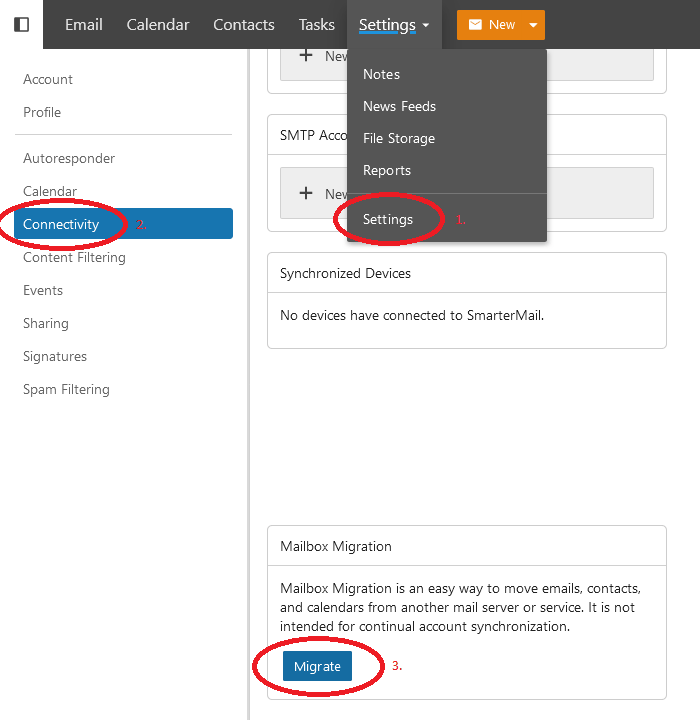
Open the More menu (or Settings), choose Settings, go to Connectivity and click Migrate on the Mailbox Migration card.
Choose the type of the old account
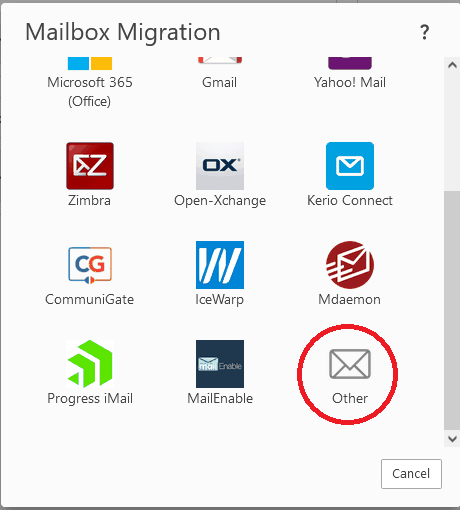
Pick your old provider from the list of the most used e-mail services, such as Gmail or Outlook. To migrate from your old hosting provider, select the last option, Other.
Enter the login details of the old server
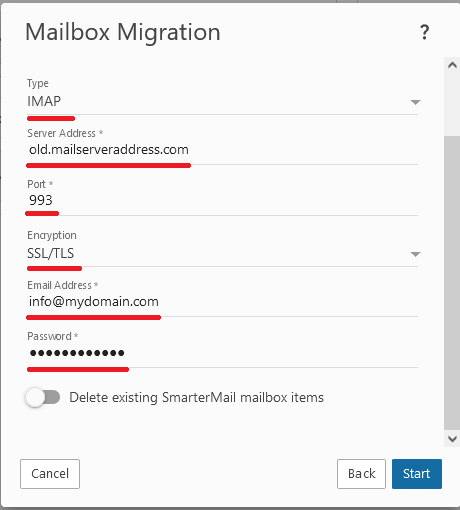
Fill in all the login details needed to connect to the old mail server — the type (usually IMAP), the server address, port and encryption, and the e-mail address and password of the old mailbox. Click Start.
Wait for the migration to finish
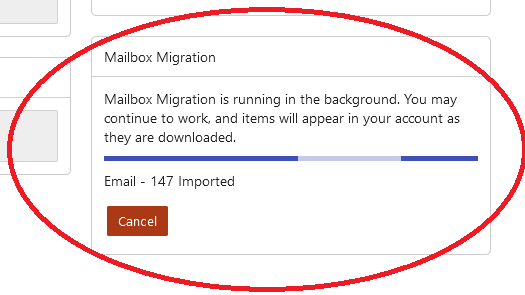
If the login details are correct, all your e-mails are downloaded from the old mail server. The migration runs in the background — you can keep working, and WebMail shows the progress and how many e-mails have been transferred on the Mailbox Migration card.
Note
Mailbox migration is a one-time copy of e-mails, contacts and calendars. It is not meant to keep two mailboxes continuously synchronised.