Stop Outlook sending winmail.dat attachments
Fix attachments that recipients cannot open.
Recipients sometimes receive a plain-text message with a strange winmail.dat attachment instead of the files that were sent. This is a long-standing behaviour of Microsoft Outlook, and it has to be fixed in the Outlook of the sender.
Why winmail.dat appears
Outlook sometimes sends messages in its own Rich Text Format (RTF). In this format the attachments are packed into a file called winmail.dat. If the recipient uses an e-mail program that does not support this proprietary format — for example Thunderbird or eM Client — they see only the plain text of the message and the winmail.dat file. The real attachments are hidden inside it.
Important
The person who sends the messages has to change the settings of their Outlook. The recipient cannot fix this.
Fix it in Outlook
Open the Outlook options
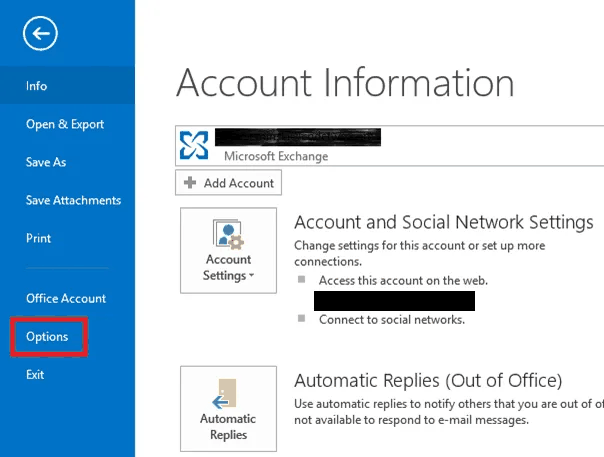
In Outlook click File → Options.
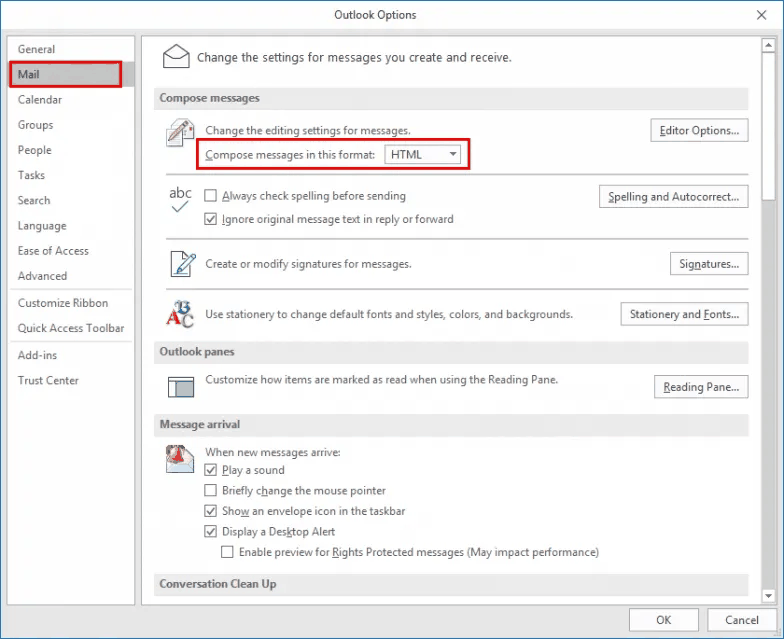
Compose messages in HTML
Click Mail in the left menu. In the Compose messages section set Compose messages in this format to HTML.
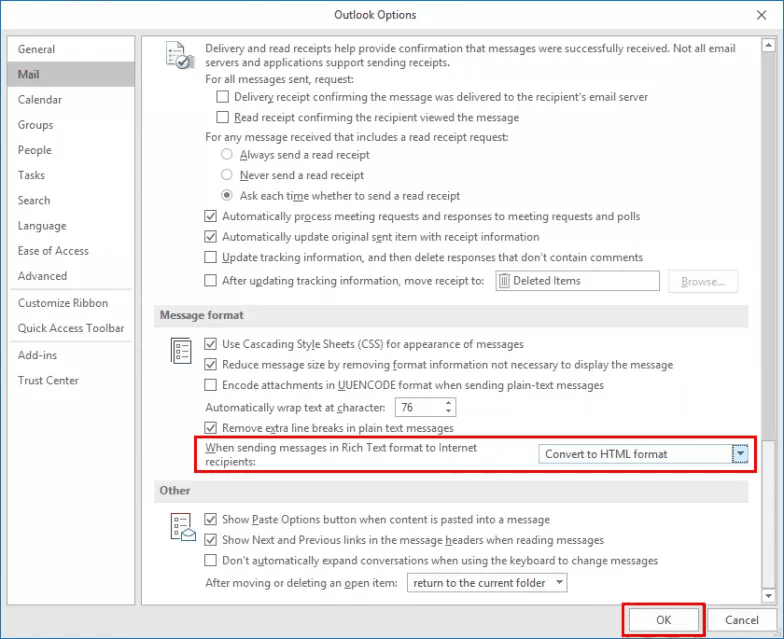
Convert Rich Text for internet recipients
Scroll down to the Message format section. Set When sending messages in Rich Text format to Internet recipients to Convert to HTML format.
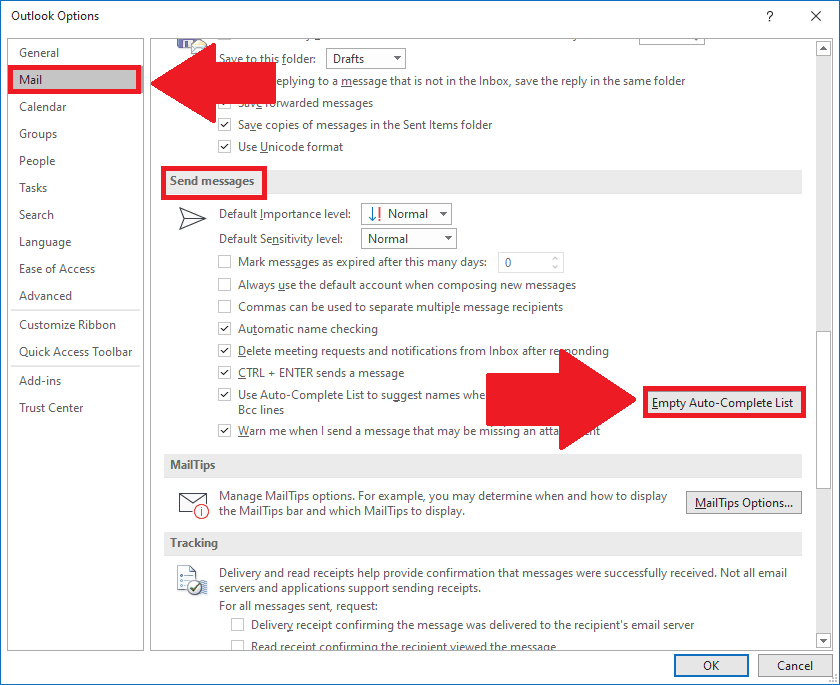
Empty the Auto-Complete list
Scroll up to the Send messages section and click Empty Auto-Complete List.
Save
Click OK to close the Options window.
Warning
Do not skip step 4. Without emptying the Auto-Complete list, Outlook keeps using the old, incorrect settings for existing recipients.