Schedule a T-SQL task
Run a T-SQL statement automatically on a schedule.
A planned SQL task runs a T-SQL script against your database on a recurring schedule — directly on the database engine, without calling your website. It is useful for daily cleanups, archiving old records, refreshing aggregations or index maintenance.
Note
Planned SQL tasks are a Premium feature. On the Free plan new tasks cannot be created.
Create a task
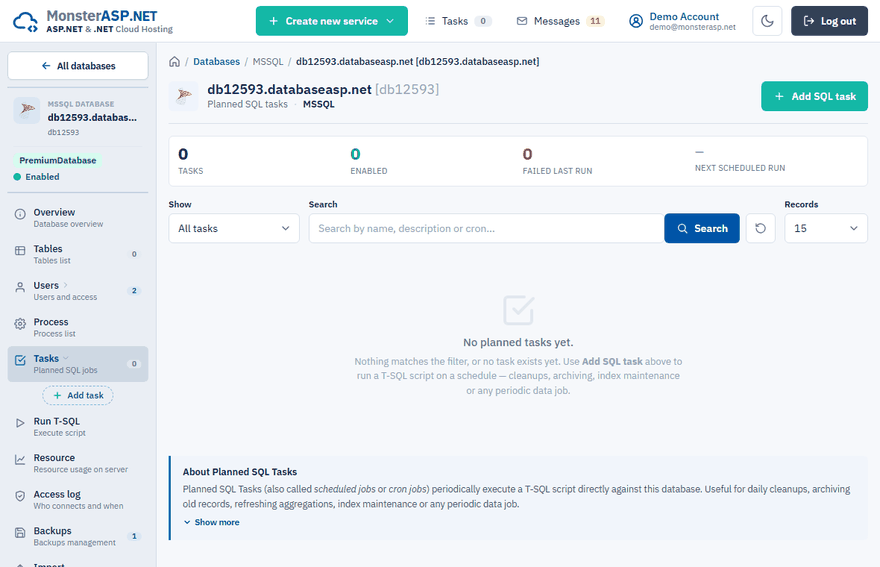
Open the Tasks page
In the Control Panel go to Databases, open your database and choose Tasks in the left menu.
Add a task
Click Add SQL task and enter a Name and, optionally, a Description.
Set the schedule
On the Preset tab pick a ready-made schedule such as Every 10 minutes, Every hour or Daily at midnight. For full control switch to Custom cron and type a standard 5-field cron expression.
Enter the script
Type the script into T-SQL script. Separate multiple batches with
GO, just like in SSMS. Stored procedures can be called withEXEC dbo.MyProc.Save
Click Add task.
Cron syntax
The format is minute hour day-of-month month day-of-week.
| Expression | Runs |
|---|---|
*/10 * * * * |
every 10 minutes |
0 */2 * * * |
every 2 hours, on the hour |
0 9 * * 1-5 |
weekdays at 09:00 |
30 3 * * 0 |
Sundays at 03:30 |
0 0 1 * * |
first day of every month at midnight |
Schedules use the server time: CET/CEST (Berlin) in the EU datacenter and MST/MDT (Salt Lake City) in the USA datacenter.
Limits
- A task can run as often as every minute.
- One run may take at most the time until the next run of the task, and never more than 5 minutes. A task running every minute is stopped after 55 seconds, an hourly task after 5 minutes.
Test and manage tasks
In the task list click Run to execute a task once, outside its schedule. The result and any error message appear in the Last run column after a refresh. When editing a task you can also tick Run this task immediately after save.
Edit changes the name, schedule or script, and Delete removes the task. Data already changed by previous runs stays untouched.
Warning
Tasks run with the owner privileges of the database. Double-check DROP, TRUNCATE and DELETE statements without a WHERE clause before saving.
Tip
Long-running scripts can block tables for other queries. For bulk deletes work in chunks, for example DELETE TOP (1000) ..., and let the task run more often.