Use WebMail
Read and send e-mails in the browser.
WebMail opens your mailbox in the browser, so you can read and send e-mails without setting up any e-mail client. The mail server also offers a calendar, contacts, tasks and file storage in the same place.
Sign in directly
Open webmail.monsterasp.net and sign in with the credentials of the mailbox:
| Field | Value |
|---|---|
| Login | The full e-mail address, for example info@yourdomain.com |
| Password | The password of the mailbox |
E-mail services are part of the Premium subscription. If you have not created a mailbox yet, create one first — see Set up e-mail for your domain.
Open WebMail from the Control Panel
The Control Panel can sign you in to WebMail automatically, without typing the password.
Open the mailbox list
Sign in to the Control Panel, go to E-mails, click Manage next to your domain and choose Mailboxes in the left menu.
Click WebMail
Click WebMail next to the mailbox you want to open. You are signed in to that mailbox automatically.
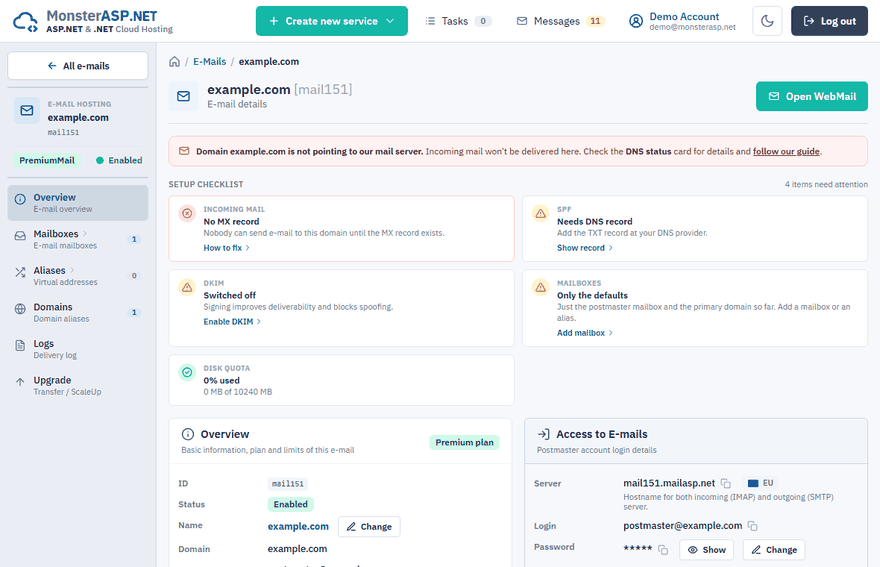
You find the same link in the detail of a mailbox: click Detail and, in the Access to E-mails card, click Open next to WebMail.
The WebMail button at the top of the Overview page of your e-mail domain opens the postmaster mailbox, the domain administrator mailbox.
Forgotten password
If you do not know the password of a mailbox, click Change next to the mailbox in the Mailboxes list and set a new one. The new password must have at least 8 characters with an uppercase letter and a digit.
Note
Too many failed sign-in attempts lock a mailbox. The mailbox detail then shows Password is locked; change the password to unlock it.
Lost two-factor authentication
If a mailbox user turned on two-factor authentication and lost access to the authenticator app, open the mailbox Detail and click Disable next to Two-factor auth. This removes two-factor authentication and the app passwords of the mailbox, and the user signs in with the mailbox password again.