Delete a database
What is removed and how to delete a database safely.
Deleting a database permanently removes it from the database server together with all its tables, data, users and settings. This cannot be undone, so download a backup first if there is any chance you will need the data again.
Before you delete
- Download a backup. Open the database, choose Backups, create a backup and download the file to your computer. See Back up an MSSQL database, MySQL or PostgreSQL.
- Check which applications use the database. Applications that connect to it stop working until you point them to another database.
Websites and e-mail hostings are separate services — they are not deleted with the database.
Delete the database
Open the Delete dialog
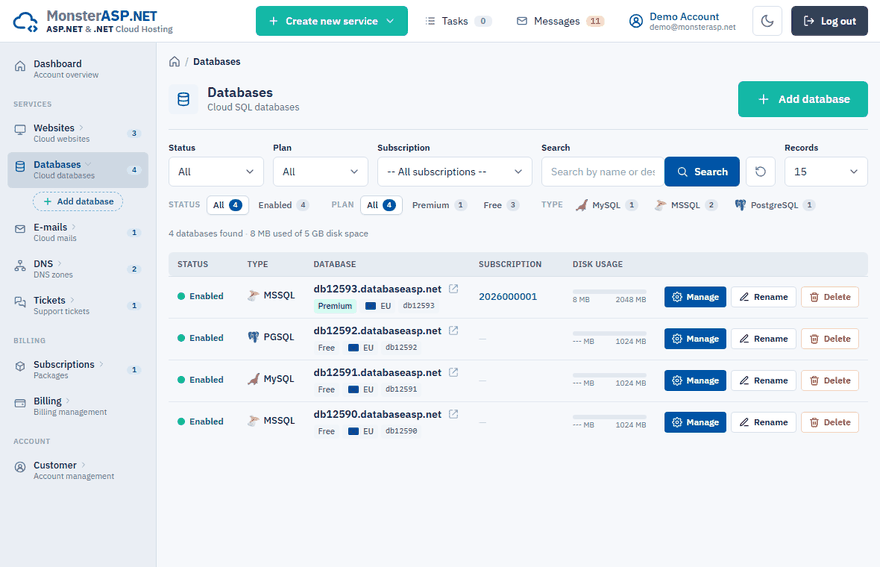
In the Control Panel go to Databases and click Delete next to the database.
Confirm
Tick I understand that the database and all its data will be deleted.
Delete
Click Delete database.
Note
A newly created database can be deleted after at least one minute.
Only want to empty the database?
For an MSSQL database you do not have to delete it to start again. Delete all content on the Tables page drops all tables and other objects but keeps the database, its users and its connection strings.